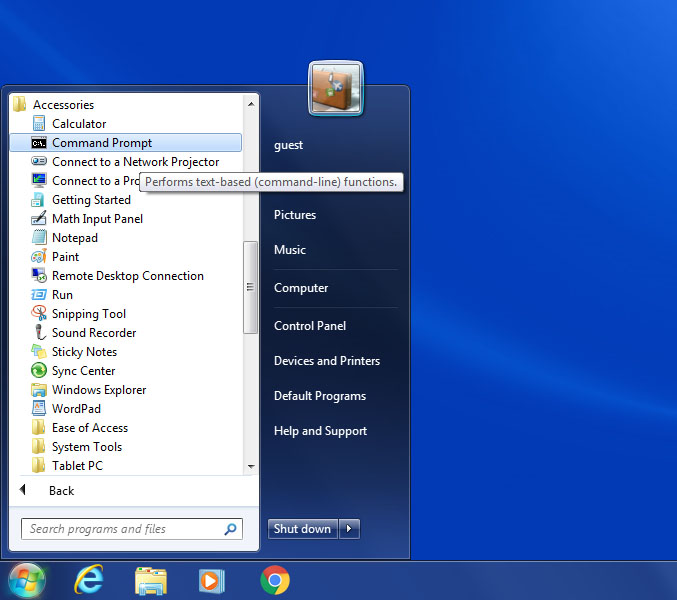
- Click "Start" - "All Programs" - "Accessories" - "Command Prompt".
Step 1
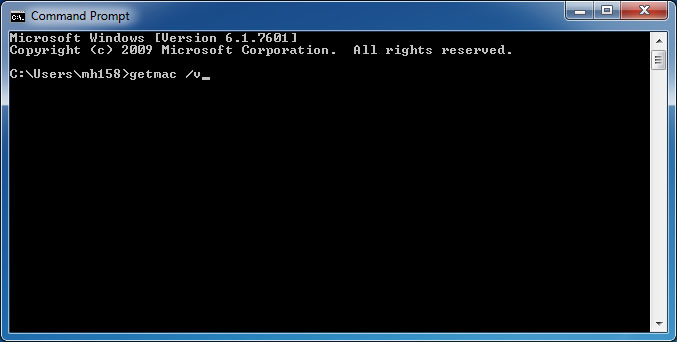
- In the newly opened window, type "getmac /v", and hit return.
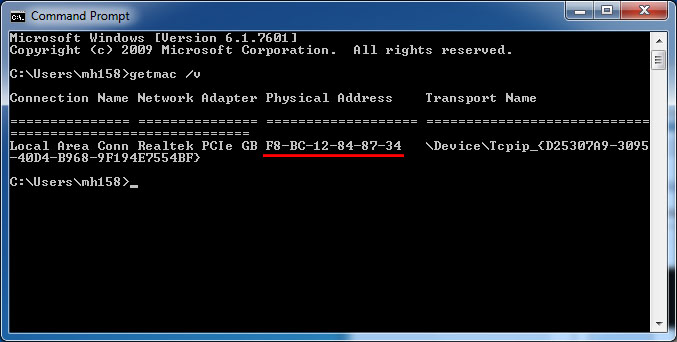
- From the output, read the number right after "PCIe GB", for example, xx-xx-xx-xx-xx-xx-xx.