- Click "Start" - "All Programs" - "Accessories" - "Remote Desktop Connection".
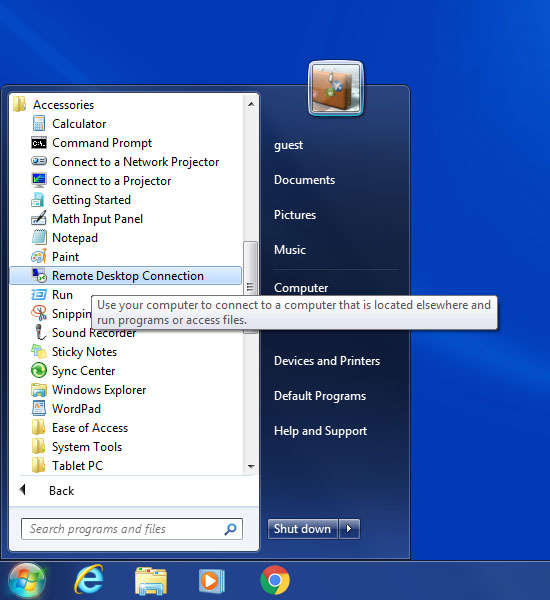
Step 1
- In the newly opened window, click "Show Options".
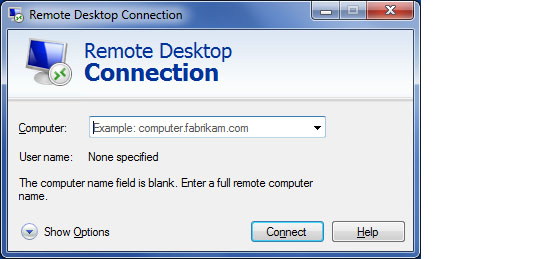
Step 2
- Enter the IP address of your office PC to the "Computer" field, "AD\YourNYUID" to the "User name" field, and click "Connect".
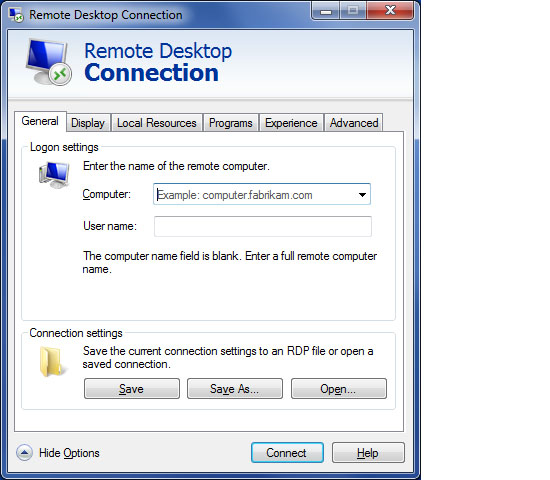
Step 3
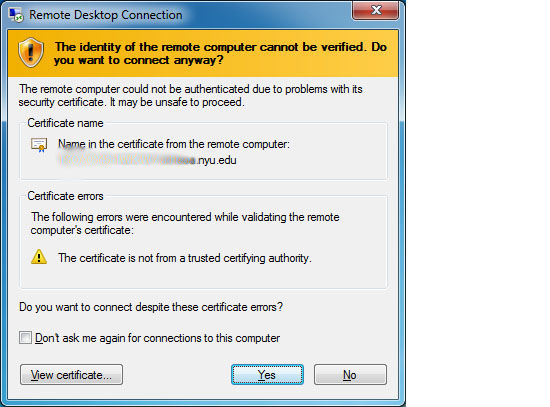
- If you see this popup message, please ignore it and click "Yes".
Step 4
- Now you see your logon screen of the PC in your office.