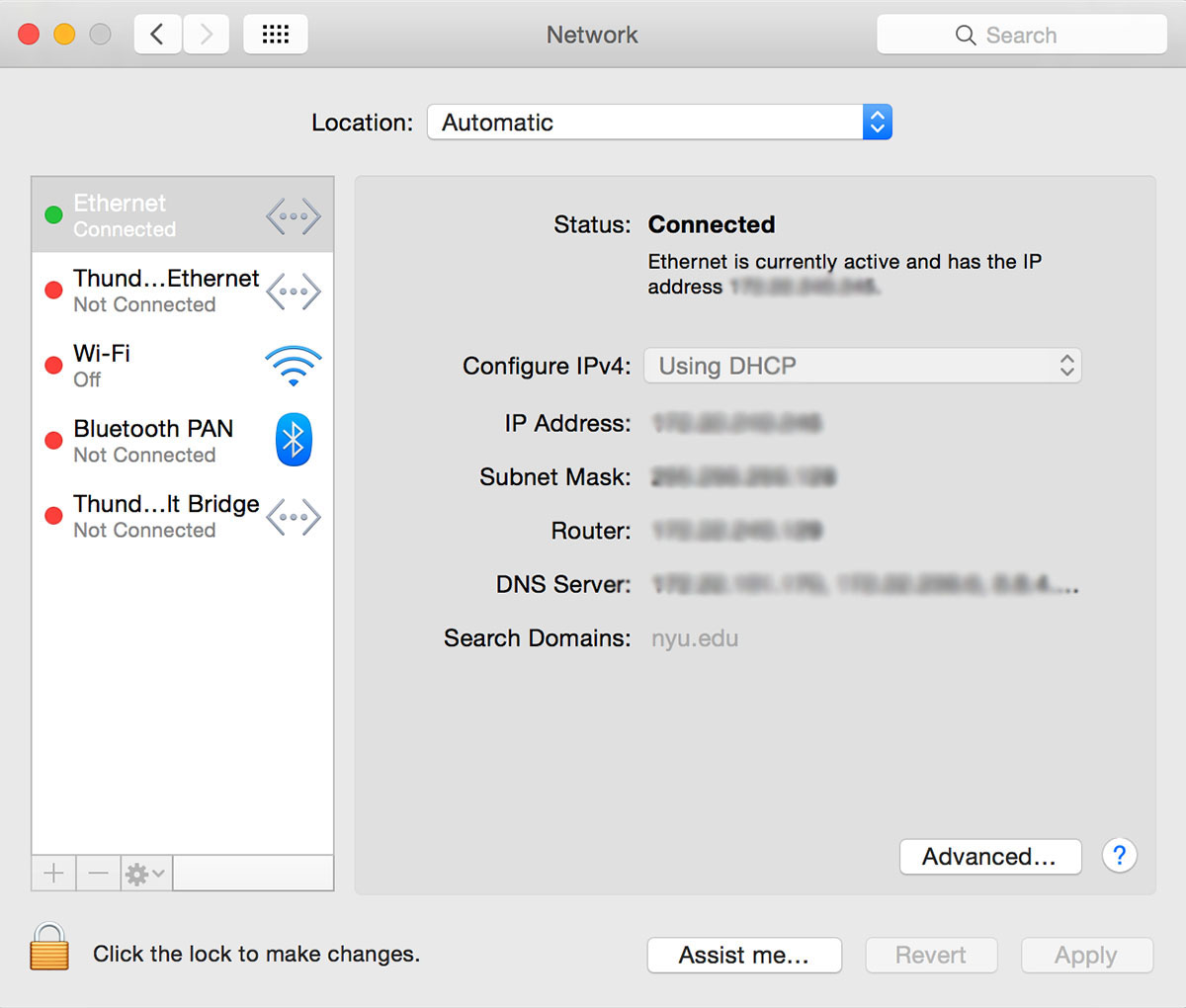
- Click the "Apple" icon, and then "System Preferences...".
Step 1
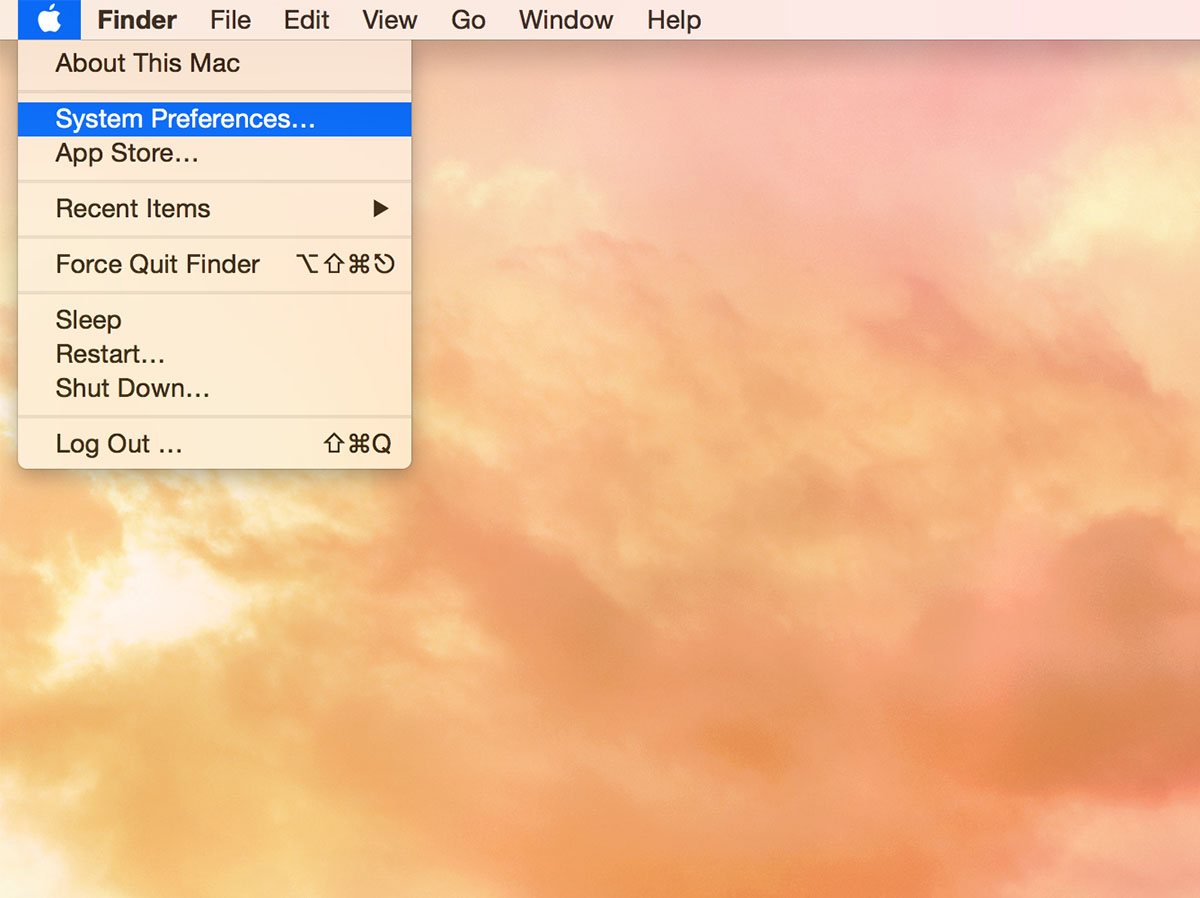
- In the "System Preferences" window, click the "network" icon.
Step 2
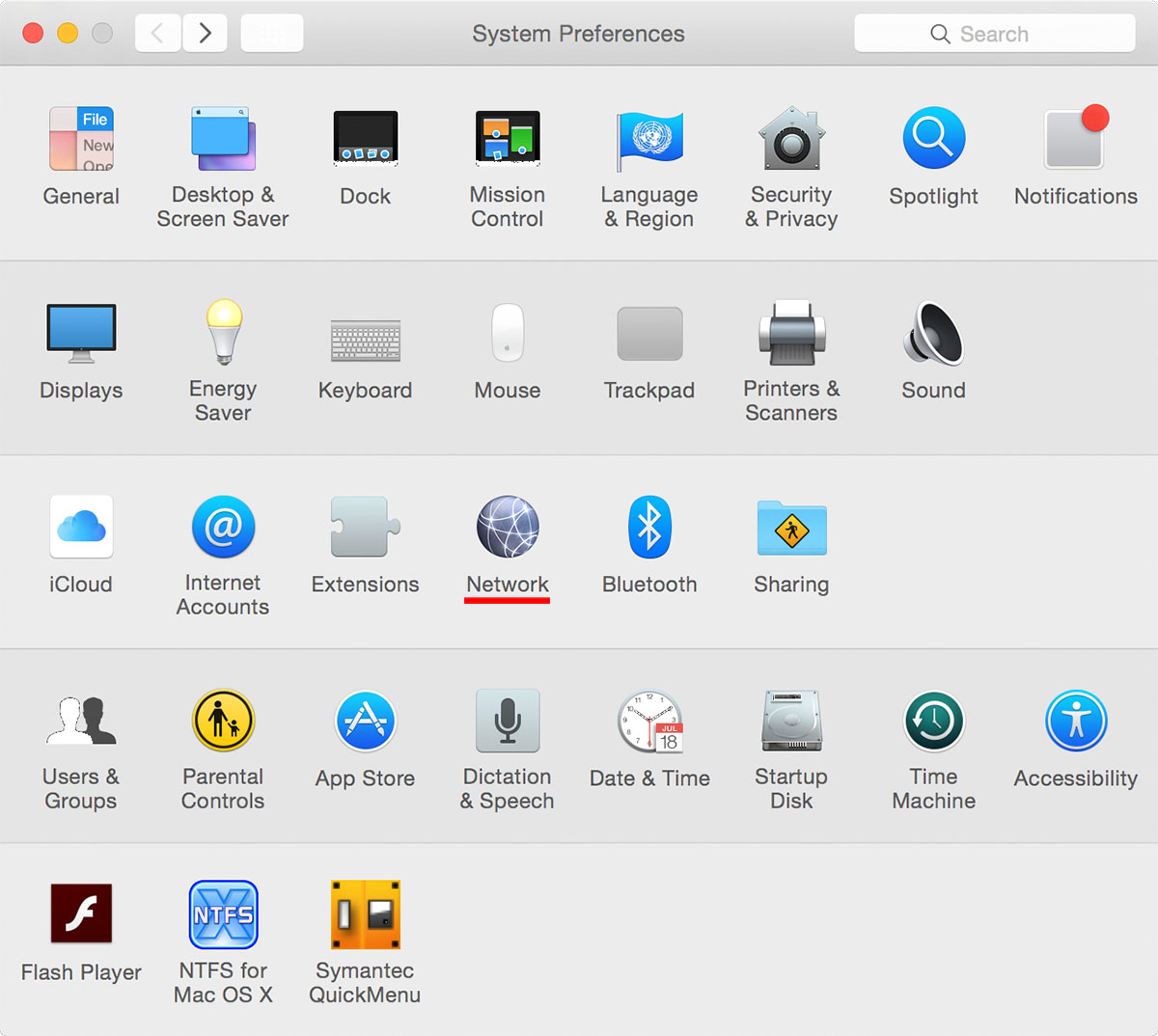
- Click the "Ethernet" tab in green, and read the number right after "IP Address:", for example, xxx.xxx.xxx.xxx.